
Call or Text Kearney 308-234-9335 | Hastings (402) 463-3456 | GI (308) 384-6939 | Lincoln (402) 483-6400
Facebook
LinkedIn
YouTube
Instagram
  • About Us
    • Return Policy
    • Authorized Apple Government Discount Program
    • Employment
    • Contact Us
    • Customer Portal
  • Repairs
    • iPhone Repair
    • Mac Repair
    • iPad & iPod Repair
    • Lenovo Repair
    • Apple Watch Repair
    • Beats & More Repair
    • AppleCare
    • General Repair Request
  • Services
    • Care+ Unlimited Tech Support
    • One-on-One Tech Training
    • Data Recovery Services
    • Electronic Recycling
    • Trade-In Program
  • Products
    • Apple
    • Lenovo
    • Sonos
    • Original HP Ink and Toner
    • Pre-Owned / Close Outs
  • Education
    • Education Website
    • ESU Repair Request
    • Submit a Device Repair Request
    • K-12 BuyBack
  • Resources
    • Blog
    • How to Turn Off ‘Find My Device’
  • Locations
    • Kearney
    • Hastings
    • Grand Island
    • Lincoln
  • Appointments

What to Do If You Run Low on iCloud Storage Space

April 14, 2020Apple, iOS, MacKelsey Jezbera

By default, Apple gives every iCloud user 5 GB of storage space. That disappears quickly, given how it’s shared between iCloud Mail, iCloud Drive, iCloud Photos, Messages, and iCloud-enabled apps. Apple will, of course, sell you more iCloud space. $0.99 per month gets you 50 GB, $2.99 per month provides 200 GB, and for $9.99…

Invoke Split View More Easily in Catalina

April 8, 2020Apple, MacKelsey Jezbera

Split View on the Mac helps you focus on your work in one app—perhaps a word processor—while providing access to one other app, like a Web browser. (Make sure “Displays have separate Spaces” is selected in System Preferences > Mission Control.) Before macOS 10.15 Catalina, you had to click and hold on the green full-screen…

MacBook Air Update Features Magic Keyboard, iPad Pro Gets a Trackpad

March 18, 2020Apple, iPad, Mac, NewsKelsey Jezbera

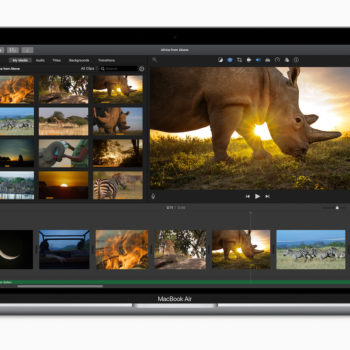
In a widely expected update, Apple has introduced a new MacBook Air that replaces the much-maligned butterfly keyboard with the new Magic Keyboard. The MacBook Air also gains faster processors, enhanced graphics, and more storage options, all for $200 less than before. Apple also threw back the curtains on an updated iPad Pro that will…

Troubleshooting Steps for When Your Mac Won’t Print 

March 18, 2020Apple, MacKelsey Jezbera

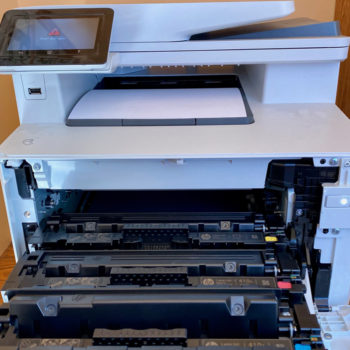
There’s little more frustrating than being unable to print a document when you need it. You choose File > Print, and nothing happens. Or, worse, macOS looks like it’s printing, so you focus on some other task, only to realize 20 minutes later that nothing has come out of the printer. Now what? Try these…

How to Choose Between iCloud Photos and My Photo Stream

March 17, 2020Apple, iOS, MacKelsey Jezbera

For quite a few years, Apple enabled users to download their iPhone or iPad photos to their Macs with a service called My Photo Stream. It wasn’t perfect, but it was free, and it did a decent job of ensuring that photos you took on your iPhone or iPad would end up on your Mac….

Take a Few Minutes to Lock Down Your Facebook Privacy Settings

March 10, 2020Apple, iOS, MacKelsey Jezbera

Even beyond its often controversial behavior in the 2020 US presidential election, Facebook continually makes news headlines for its numerous privacy and security problems. Most notable, of course, were the 50 million Facebook profiles gathered for Cambridge Analytica for the 2016 election. Closer to home, the company pushed a VPN service in the Facebook iOS…

Make Your Mac More Useful by Managing Menu Bar Icons

February 4, 2020Apple, MacKelsey Jezbera

If your Mac is anything like ours, it’s suffering from an infestation of menu bar icons. Sure, the Wi-Fi menu is essential, and many others can be helpful. But if you have too many, or they’re in random order, finding one when you need it can be frustrating. You can employ two techniques to increase…

Make Your Own Keyboard Shortcuts on the Mac

February 3, 2020Apple, MacKelsey Jezbera

Power users like keyboard shortcuts because it’s faster to press a couple of keys than to navigate lengthy menus. If you have trouble remembering shortcuts, check out KeyCue, which displays a concise table of all currently available shortcuts. But what about menu items that lack shortcuts? Make your own in System Preferences > Keyboard >…

Flash Is Dead—Uninstall Flash Player to Keep Your Mac Secure

January 18, 2020Apple, MacKelsey Jezbera

In July 2017, Adobe announced that it would stop distributing and updating Flash Player on December 31st, 2020. Web standards like HTML5 provide a viable alternative to Flash content, and organizations that relied on Flash have had three years to replace it. Because Adobe will no longer be addressing security vulnerabilities in Flash with updates,…

Use Your Apple Watch to Unlock Your Mac, and Apps in Catalina

January 15, 2020Apple, MacKelsey Jezbera

If you’ve resisted requiring a password on your Mac after it wakes up or comes out of the screen saver because it’s too much work to enter repeatedly, an Apple Watch can make authentication much easier. In previous versions of macOS, just wearing an unlocked Apple Watch is enough to enter your Mac’s password; in…

Posts pagination

< 1 … 7 8 9 10 11 12 13 … 19 >

Recent Posts

  • Keep Sensitive Data Private by Disabling AI Training Options
  • When to Trust AI Tech Answers (And When to Call Us)
  • Follow This Advice Before Switching to a New iPhone 17
  • Apple Unveils New iPhone 17 Lineup, Updated Apple Watches, and AirPods Pro 3
  • Blood Oxygen Monitoring Returns to Recent US Apple Watches with Software Updates

Categories

Archives

Facebook
Twitter
LinkedIn
YouTube
Instagram

Kearney

2315 2nd Ave
Kearney, NE 68847

308-234-9335

308-234-9335

Hastings

1001 W 2nd St
Hastings, NE 68901

402-463-3456

402-463-3456

Grand Island

2720 Old Fair Rd
Grand Island, NE 68803

308-384-6939

308-384-6939

Lincoln

235 S 70th St Ste 101
Lincoln, NE 68510

402-483-6400

402-483-6400

Questions? Contact Us Now!

Contact Us

Home

About Us

  • Return Policy
  • Privacy Policy
  • Financing
  • Employment
  • Contact Us
  • Customer Portal

Repairs

  • iPhone Repair
  • Mac Repair
  • iPad & iPod Repair
  • Lenovo Repair
  • Apple Watch Repair
  • Beats & More Repair
  • AppleCare
  • General Repair Request

Services

  • Care+ Unlimited Tech Support
  • One-on-One Tech Training
  • Data Recovery Services
  • Electronic Recycling
  • Trade-In Program
  • Remote Tech Support

Products

  • Apple
  • Lenovo
  • Sonos
  • Original HP Ink and Toner
  • Pre-owned Inventory

Resources

  • Blog
  • How to Turn Off ‘Find My Device’
  • Education Resources
  • Donations

Copyright © 2022 Computer Hardware.

Powered by web design kearney, ne